
PoE & PoE+ Switches
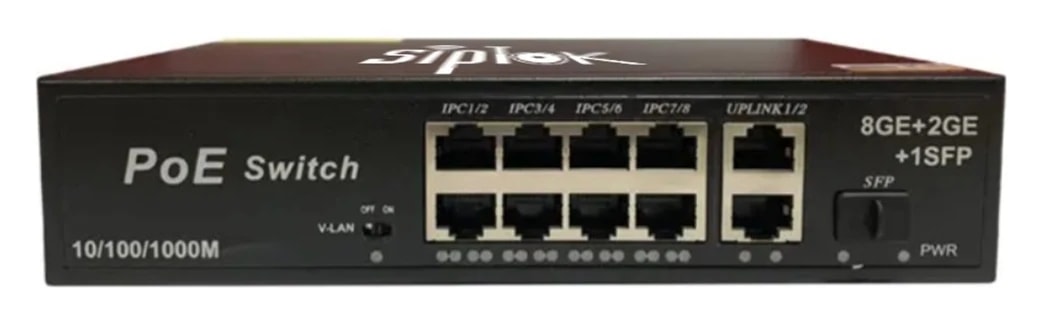
ST-PoE-4P4 Port PoE Switch
ST-PoE-4P: MS construction. Review the complete technical data and system connections below.
- Power Supply
- 48V/52V DC, AC 100-240V
- Material
- MS
Overview
ST-PoE-4P provides network connectivity and power for compatible Ethernet devices. Confirm port configuration, per-port requirements and the total power budget against the intended endpoints.
Plan network connectivity, operator workflow, mounting and power as part of the complete communication system. Explore the application guides for deployment considerations.
Key features
- Easy to Use
- No need to use power supply for IP Cameras and IP Speakers
- Cost Efficient
- Ethernet and fiber optic connectivity options enhance the robustness of the system.
Technical specifications
ST-PoE-4P| Parameter | Specification |
|---|---|
| Technical | |
| Transmission Rate | 10/100/1000 Mbps |
| Communication Mode | Full-Duplex & Half-Duplex |
| Ports | 4+2 |
| Protection | 6KV/4KV |
| Function | 250m extend |
| Switch Capacity | 15W |
| Total Power | 60W |
| General | |
| Material | MS |
| Type | Gigabit |
| Color | Black |
| Power Supply | 48V/52V DC, AC 100-240V |
| Installation | Wall Mount |
| Dimensions | 200x142x43 mm |
| Net Weight | 1.1 Kg |
| Languages | English |
| Standard Warranty | 2 years |
| Approvals & Compliances | ISO 9001:2015, ISO 27001:2022, CE, RoHS, FCC |
| Package Includes | 4 Port PoE Switch, Power Cable |
Confirm the required configuration and current product documentation before procurement.
Product documentation
Product documents are available to approved SipTok partners and invited project teams.
Partner document accessSYSTEM CONNECTIONS
Where ST-PoE-4P fits.
The switch provides the LAN connection between operator equipment, communication platforms and selected endpoints. A separate power review determines which devices can be supplied by each port.
SIPTOK · SCHEMATIC DIAGRAM
ST-PoE-4P in the site communication network

Ethernet / LANSelect a product photograph for model details
Scroll across the diagram to explore each connection.
01 · Control room & system control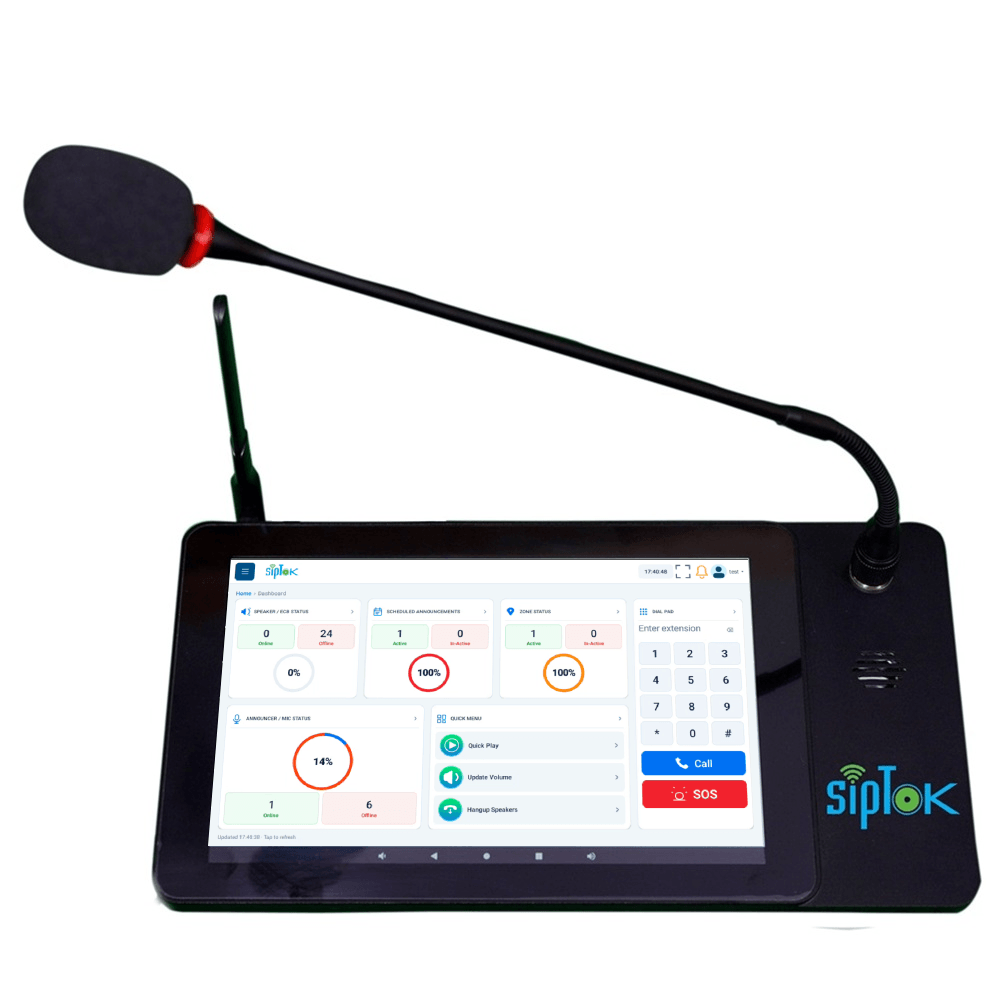 Example operator consoleST-C10IP Announcement Console PanelEthernet / LANView product
02 · Site network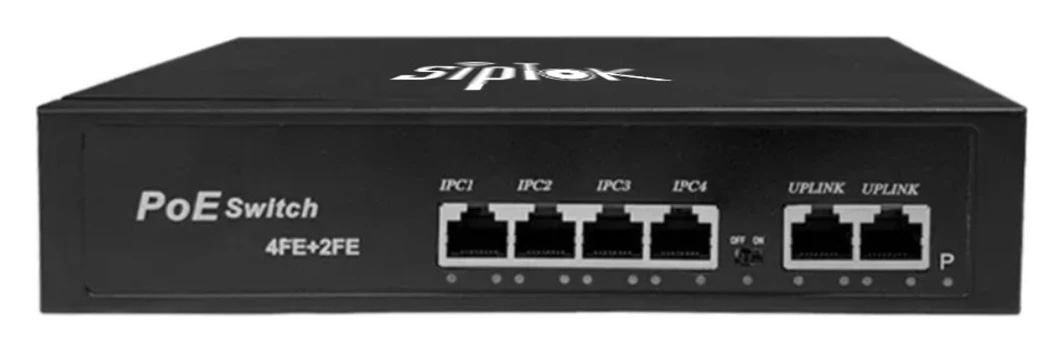 Selected Ethernet switchST-PoE-4P4 Port PoE SwitchLAN switch · independent power reviewThis model
01
Network path
Connect the selected devices to suitable LAN ports and the planned upstream network. Review cabling, addressing and the network’s configuration.
02
Power planning
Check each endpoint’s required supply, the switch’s supported power standard and total power budget. Do not size the system from port count alone.
Connection, power & commissioning notes
- Ethernet branches connect the shown IP devices to the site LAN switch. This is a connection concept, not a cable-routing or electrical wiring drawing.
- SIP handles call setup. RTP audio follows the configured media path; it does not necessarily pass through the SIP server. Multicast is a separate, model-supported paging option.
- Confirm power for each device independently. A PoE switch in this example does not establish the required PoE class, port budget or a universal one-cable installation.
Photographs show actual SipTok models. This is a conceptual connection diagram; cable routes, power and final equipment are confirmed during system design.
APPLICATIONS
Where ST-PoE-4P fits.
Explore the operating environment and communication requirements for each use case.
 Industry & Manufacturing
Production-site communication
Coordinate operator access, area-based paging and assistance points across the facility’s planned network.
Explore the solution Education & Campuses
Campus communication
Plan buildings, announcement groups and operational responsibilities together before sizing the system.
Explore the solution Commercial Buildings
Connected building operations
Bring compatible endpoints into a managed communication design with defined capacity, power and operating requirements.
Explore the solutionPRODUCT SELECTION & INSTALLATION
Questions about ST-PoE-4P.
Review the model’s connection, installation and documentation before finalizing the system.
Ask a product expertWhat power arrangement is listed for ST-PoE-4P?
The published power-supply field states “48V/52V DC, AC 100-240V”. Check the installation supply and the current model document.
How is ST-PoE-4P installed?
The published installation field states “Wall Mount”. Confirm the mounting surface, clearances, cable route and environmental requirements for the site using the current model documentation.
What should I include in a ST-PoE-4P enquiry?
Include the model, quantities, site layout, intended workflow and connected equipment. For a complete system, share paging zones, network and power availability, and any BOQ, RFP or configuration support required.
EXPLORE THE RANGE
Related products.
LET’S START A CONVERSATIONDiscuss your
Discuss your
IP PA project.
From product selection to system planning, share your requirements with the SipTok team.
Explore project engineering supportEmail our teamsales@siptok.in
WhatsApp+91 8590528734
Registered address & manufacturing unitN-189, Pocket N, Sector 2, DSIIDC, Bawana Industrial Area, Delhi – 110039, India