

SIPTOK · NETWORK AUDIO
IP Speaker Manufacturer in India
SipTok is an IP speaker manufacturer in India with local manufacturing and R&D. Explore SIP horn, ceiling, wall-mount and industrial speakers for indoor and outdoor IP PA projects, supported by model documentation, system design and configuration guidance.
01Compare the installation
02Define the audio workflow
03Verify the complete system
Start with the space, then choose the IP Speaker
An IP Speaker receives audio through a network connection and turns it into sound at the listening area. The enclosure, mounting position and acoustic conditions matter as much as the network interface. A speaker selected only by wattage may still leave poorly covered areas or send sound where it is not wanted.
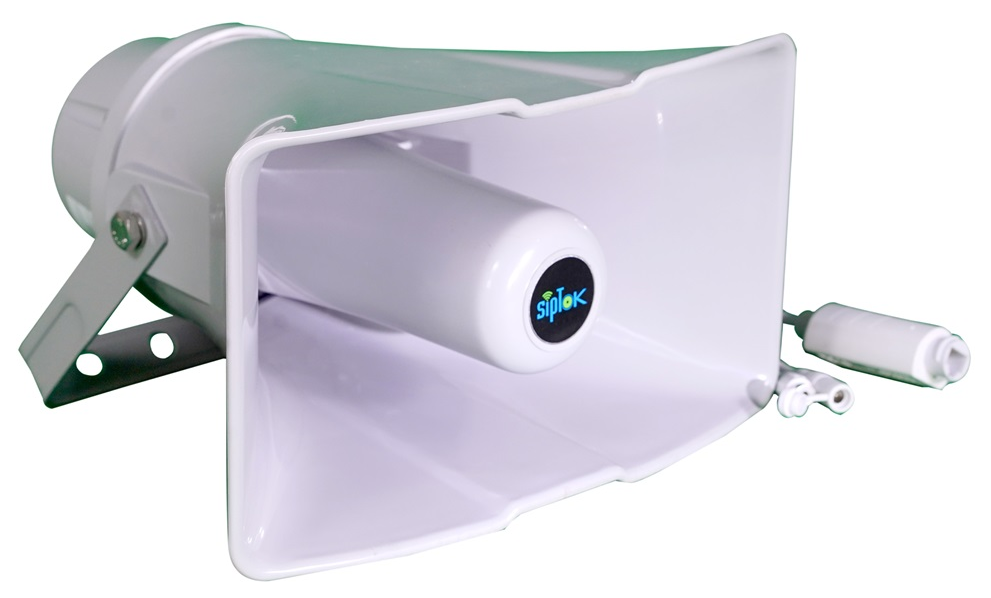
Use an IP Horn Speaker for a directional coverage requirement, an IP Ceiling Speaker where a recessed indoor installation is appropriate, or a wall-mount model where ceiling access is limited. Compare the published frequency response, sound-pressure information, mounting method and environmental rating for the exact model. Final spacing and quantities need the site's dimensions, background noise and listening requirements.
SIP Speaker or multicast receiver: define the workflow
A SIP Speaker can be addressed through a compatible SIP communication platform for a configured paging or calling workflow. Multicast audio uses group delivery to compatible receivers. These are related network-audio methods, but they are not interchangeable configuration labels: registration, group membership, audio codecs and the switching design must suit the chosen method.
The supplied SipTok SIP speaker tables list supported protocols and interfaces at model level. Keep those tables in the specification rather than assuming every item in the catalogue behaves the same way. In particular, the CCTV active speaker family connects to a compatible camera's audio output; it should not be selected as though it were the same SIP endpoint.
Choosing an IP/SIP Horn Speaker Manufacturer
Evaluate a horn speaker supplier against the intended environment and a repeatable acceptance test. Ask for the exact model datasheet, mounting drawing, power arrangement and a demonstration of the required announcement path. Where one model is offered in several versions, identify the required version in the bill of quantities and quotation.
For SipTok, start with the published horn range and its original PDFs. Some supplied web and PDF values differ; affected product pages display both values with a confirmation notice. Resolve those differences with the product team before freezing the project specification. An outdoor protection rating is not evidence of suitability for an explosive atmosphere.
- Name the listening zones, coverage boundaries and expected background noise.
- Document the controller, network interface, power budget and backup arrangement.
- Agree the mounting location, cable route and required environmental protection.
- Test live paging, recorded audio and the recovery workflow required by the project.
Smart City Speaker planning across a connected site
A Smart City Speaker project is a system design task: the public announcement zone, operator position, network reach and assistance-call workflow must be defined together. An open public space, a roadside point and a covered concourse can need different speakers and mounting arrangements even when they share one network.
Specify who can address each zone, which announcements are permitted, and how the operator confirms a successful test. If help points or camera systems are in the scope, document their separate interfaces and prove the required event and audio behavior during integration. The presence of an interface or protocol name does not establish compatibility with every third-party platform.
Connect IP speakers with VMS and API workflows
Selected SipTok IP audio models document compatibility with video management systems (VMS) via ONVIF and an HTTP API for alarm transmission. For example, the ST-30HSR datasheet lists both functions. These interfaces support integration planning alongside SIP paging; the exact operation needs to match the selected model, firmware and video or application platform.
Define the VMS audio action, the event to be exchanged and the expected operator response. Share the platform details with SipTok to review interface requirements and configuration. Camera-connected CCTV active speakers use a separate RCA audio path through the camera and its NVR or VMS.
From system design to BOQ and RFP preparation
Send a layout, installation environment, proposed speaker quantities, zone list and intended controller to SipTok. Include the required call or paging method, available network infrastructure, power source and any existing equipment that must remain. This gives the product team a basis for model selection and an integration discussion.
Use the product pages to compare the supplied technical data and download the original documents. Treat the schematic as a planning illustration, then confirm cable topology, power and operating behavior against the approved design. A demonstration on the proposed platform is more useful than a list of protocol names alone.
SipTok supports IP PA system design, bill of quantities (BOQ) preparation, RFP technical requirements and product configuration. Share the project stage and the documents you need so the team can align the scope, model selection and integration criteria with your brief.
SELECTION & PROJECT PLANNING
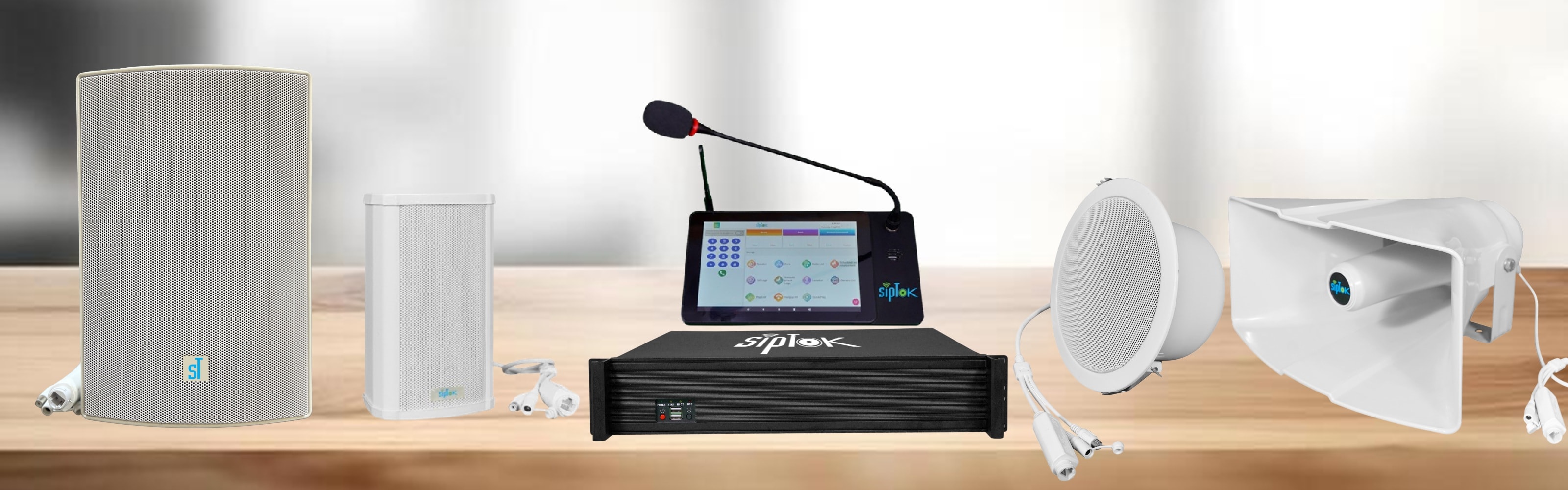
Compare IP speaker formats before choosing a model.
An IP speaker enquiry should identify the listening area and required announcement path. These examples show the differences between horn, ceiling and wall-mount options in the SipTok range; final coverage needs a site assessment.
- 01
Specify the listening conditions
Share room dimensions, ceiling or mounting height, outdoor exposure and typical background noise.
- 02
Check the communication interface
Choose the exact SIP/network speaker model. Camera-connected CCTV active speakers use a separate camera-audio path.
- 03
Prove the required operation
Agree the source, destination groups and network configuration, then test the paging workflow with the intended platform.
Swipe across the table to compare model details.
| Model | Selection consideration | Published model details |
|---|---|---|
| ST-30HSRIP PA Horn Speaker 30W (R) | Horn enclosure with pole or wall mounting for a directed coverage requirement. |
|
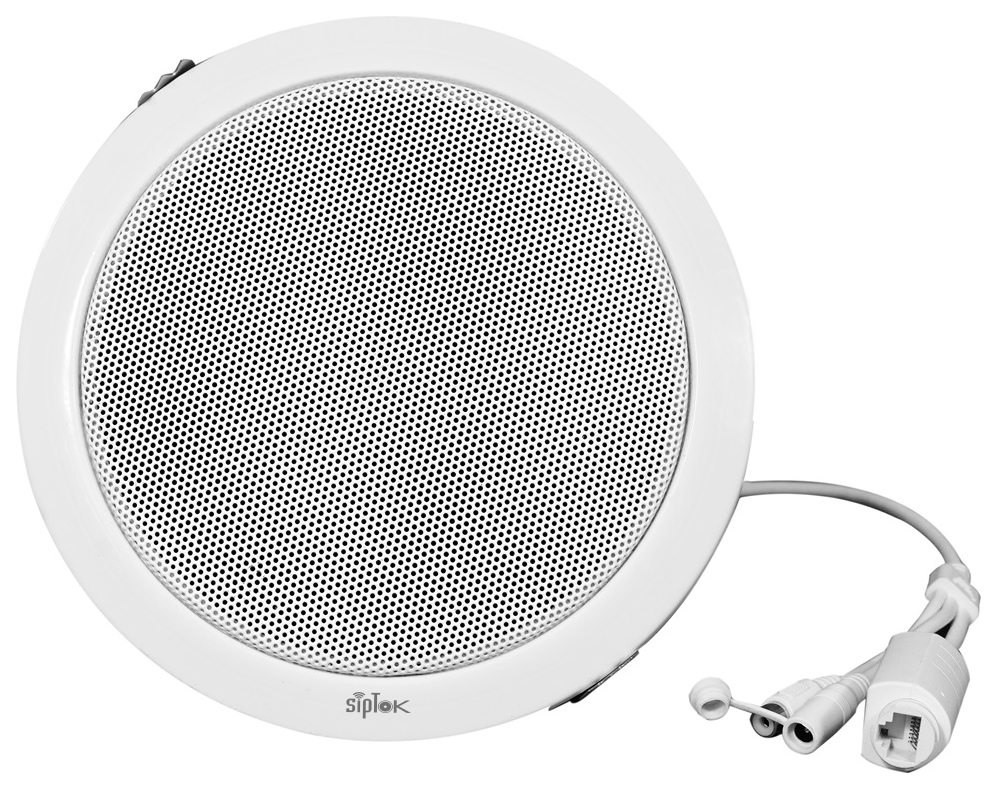
| ST-8CIP PA Ceiling Speaker 8W | Ceiling installation where room acoustics, ceiling access and spacing suit a recessed endpoint. |
|
| ST-15WAIP PA Wall Mount Speaker 15W (ABS) | Wall installation where a surface-mounted cabinet suits the room or corridor. |
|
PLANNING EXAMPLE
Paging across a school building
Treat classrooms, corridors and outdoor assembly areas as separate coverage requirements. Compare recessed ceiling, wall and horn formats for each position. Review the timetable and live paging requirements with the operator; speaker wattage alone does not determine the quantity or spacing.
Illustrative planning scenario. Final selection and quantities require a reviewed site design.PREPARE YOUR QUOTATION
Share the details that shape the system.
- Room or site layout, background noise and mounting conditions
- Speaker formats, quantities and indoor/outdoor areas
- Existing SIP platform, paging sources, zones and switch power budget
SYSTEM CONNECTIONS
Where ST-30HSR fits.
The selected speaker is an IP audio endpoint on the site LAN. An operator console and compatible audio platform provide the announcement workflow; mounting and coverage are designed for the application.
SIPTOK · SCHEMATIC DIAGRAM
ST-30HSR in a network paging system

Ethernet / LANSelect a product photograph for model details
Scroll across the diagram to explore each connection.
01 · Control room & system control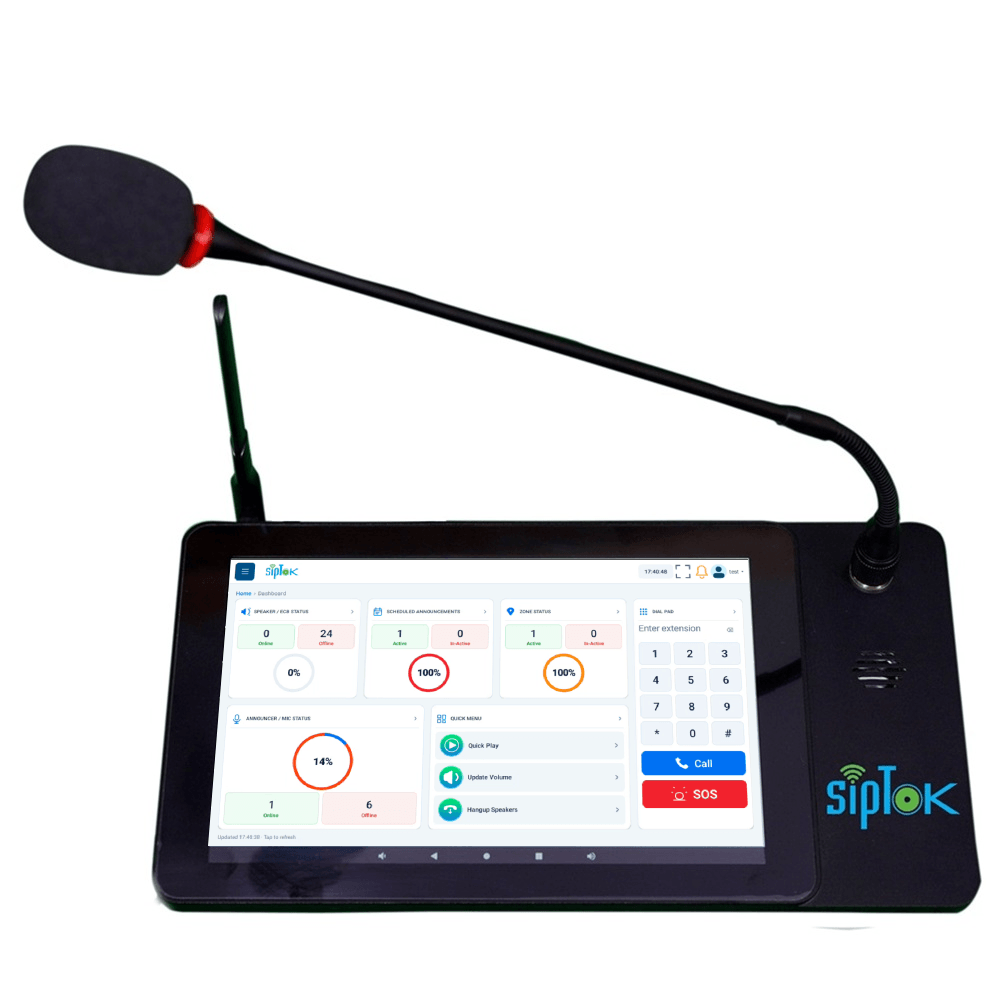 Example paging operator consoleST-C10IP Announcement Console PanelEthernet / LANView product
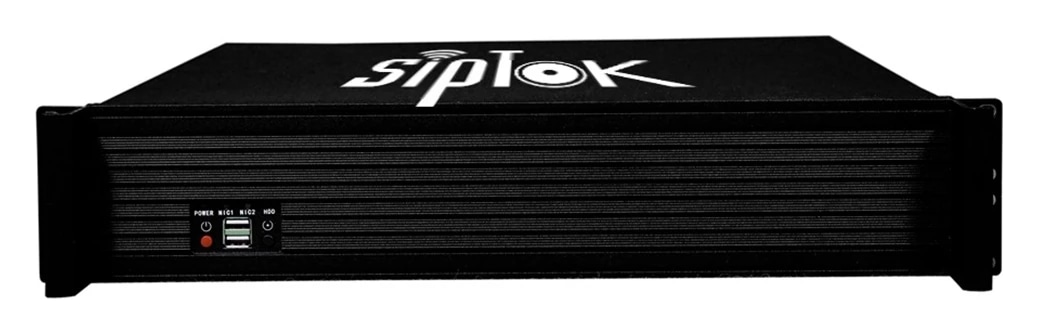
02 · Site network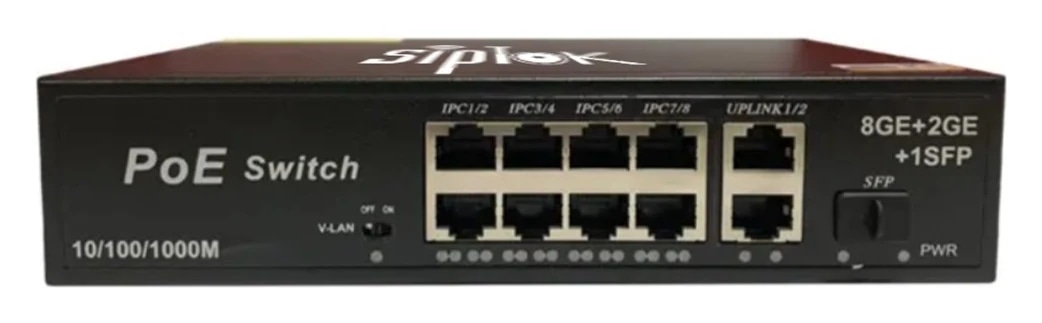 Example Ethernet switchST-PoE-8P8 Port PoE SwitchLAN switch · independent power reviewView product
03 · Application zones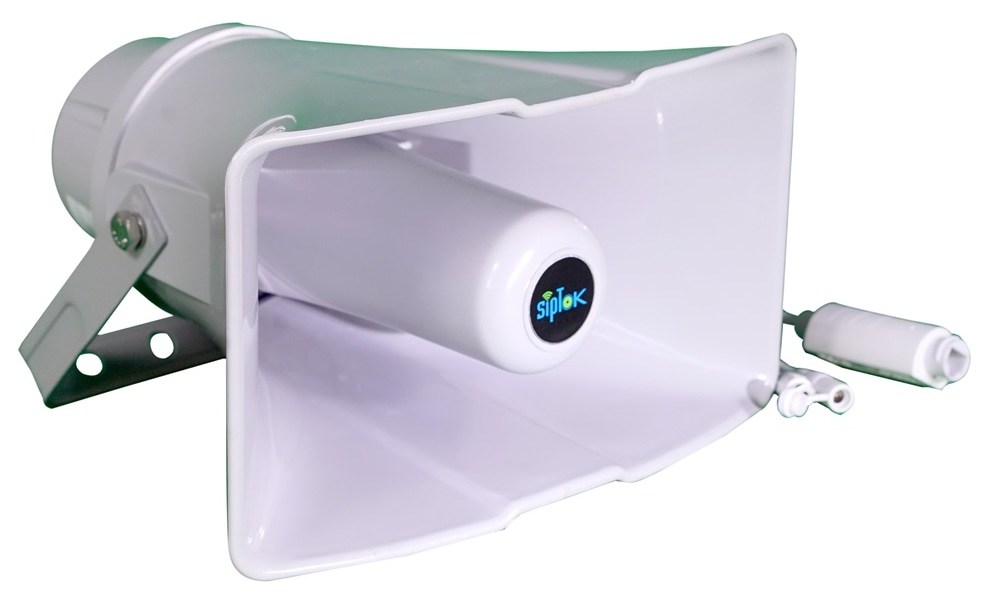 Selected announcement endpointST-30HSRIP PA Horn Speaker 30W (R)Ethernet / LANThis model
01
SIP paging
The operator addresses the configured destination through a compatible SIP platform. Confirm audio codecs, registration and paging behaviour during commissioning.
02
Multicast alternative
Where the selected model lists RTP multicast, a compatible sender distributes audio to configured receiver groups. This is separate from SIP call registration.
Connection, power & commissioning notes
- Ethernet branches connect the shown IP devices to the site LAN switch. This is a connection concept, not a cable-routing or electrical wiring drawing.
- SIP handles call setup. RTP audio follows the configured media path; it does not necessarily pass through the SIP server. Multicast is a separate, model-supported paging option.
- Confirm power for each device independently. A PoE switch in this example does not establish the required PoE class, port budget or a universal one-cable installation.
Photographs show actual SipTok models. This is a conceptual connection diagram; cable routes, power and final equipment are confirmed during system design.
DOCUMENTED SIPTOK PRODUCTS
Compare real SipTok speaker models.
The examples below are starting points for comparison. Confirm the model, power arrangement and application against the full product page and supplied document.
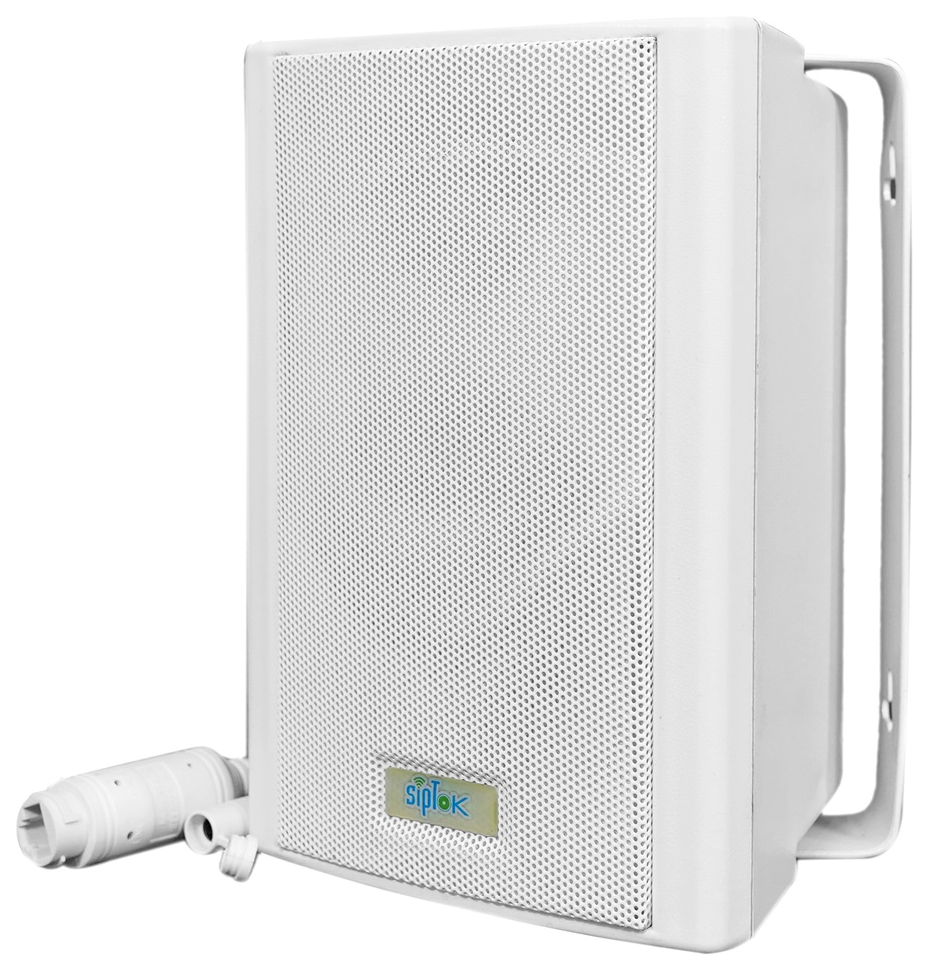
IP Wall-Mount Speakers
IP PA Wall Mount Speaker 15W (ABS)
- Rated Power
- 15W
- Network Interface
- 10/100 Base-TX, RJ45
APPLICATION & NEXT STEPS
Put the requirement in context.
SELECTION QUESTIONS
Clarity before specification.
Use the published product data and a test of the proposed workflow to confirm the final selection.
Does one SIP Speaker suit every application?
No. The listening environment, coverage pattern, mounting, power and required communication path determine the selection. Compare the exact product data and test the intended platform.
Are all SipTok products SIP speakers?
No. The portfolio includes different product types, including CCTV active speakers, security alarm panels, gateways, switches and phones. Their interfaces and functions are model-specific.
What should I request from an IP speaker manufacturer in India?
Request the current model datasheet, mounting and electrical requirements, required interfaces, a system proposal and an acceptance demonstration. Include site and integration details with the enquiry.
Can SipTok help with BOQ and RFP preparation?
Yes. Our team supports system design, BOQ preparation, technical requirements for RFPs and product configuration. Share your layout, zones, intended workflows and procurement stage to define the support needed.
LET’S START A CONVERSATIONDiscuss your
Discuss your
IP PA project.
From product selection to system planning, share your requirements with the SipTok team.
Explore project engineering supportEmail our teamsales@siptok.in
WhatsApp+91 8590528734
Registered address & manufacturing unitN-189, Pocket N, Sector 2, DSIIDC, Bawana Industrial Area, Delhi – 110039, India